
Rewards Rework and Multiple Screen | IndieLog 4
StepMat got a cool new Rewardsystem and Pausitive supports now multiple screens

Moin, moin,
The past two weeks I worked on a lot of stuff.
NEW Reward System
Last time I talked about it, and now it’s finished! The rework of the reward system is done, and it’s actually already live on the play store.
What changed?
Before the update, users had to use hearts (or even earlier, coins) to reward themselves.
Now it’s all about goals.
Goals are step thresholds the user can choose from, up to 100k steps.
For example, you could make a reward for 30k steps and treat yourself to a pizza.
As before, you can create multiple rewards with different goals and colors to make everything look nicer.
So how do you decide which reward you want?
Before, you could just buy any reward with your hearts. Now it’s a bit different.
There’s a new mechanic called focus.
You need to focus on a reward to start collecting steps for it. When you do that, you’ll see a progress bar below the reward icon, which means you’re collecting steps for that specific reward.
Right now, it’s only possible to focus on one reward at a time.
I’m thinking about adding more options in the future, like focusing on multiple rewards or unlocking it as a random daily or weekly challenge with a higher step count. We’ll see :)
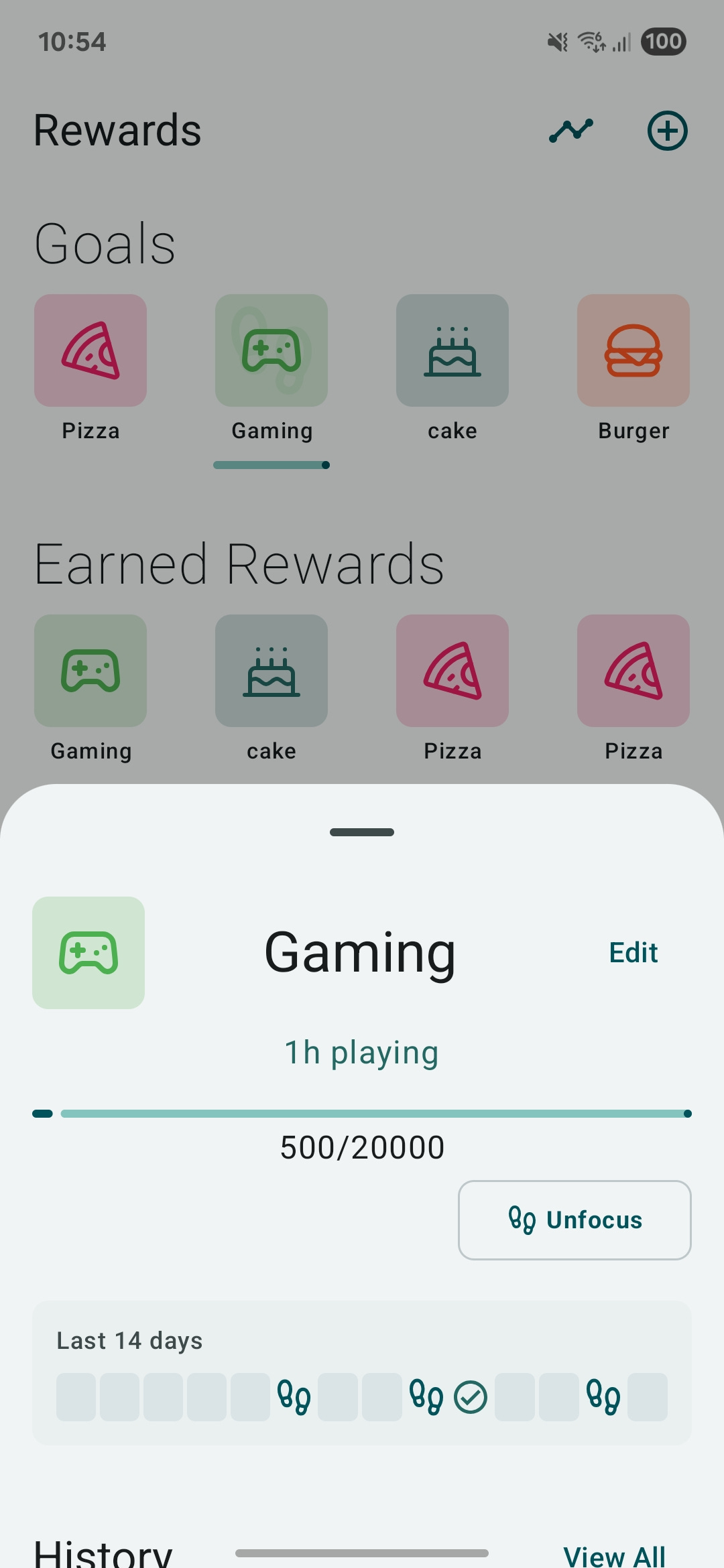
.
Right now I’m super happy about this change, because the old system didn’t really motivate me to take extra steps. It’s nice to enjoy some food and still stay aware of calories. Just set a really high number of steps for the food you want to reward yourself with, maybe even double the calories (there’s a calculator for that 😉), and then only eat it once you’ve actually earned it ☺️
StepMat PRO
I also added a subscription or one-time payment option to the app to start monetizing a bit.
Right now, it unlocks unlimited rewards (the free version is limited to 4) and removes ads.
It’s a good way to support the app and make sure it keeps getting updates.
I’ll think about adding more premium features soon. The next one will probably be more detailed statistics and insights.
I’m using RevenueCat for all the payment implementation, and I have to say, it’s amazingly easy to set up the logic with it. It’s a bit annoying to configure everything, but I blame Google Play and the cloud setup for that. RevenueCat itself actually has great documentation and step-by-step guides!
Multiple Screen Support
I also did some updates on pausitive.
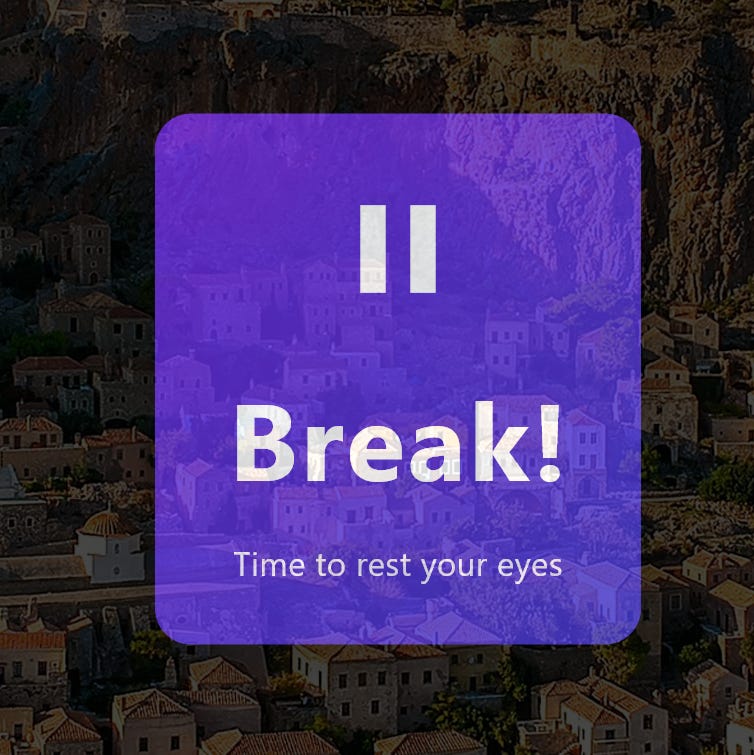
As you can see, there’s a new Break Panel!
And it’s not just any break panel — it’s a panel that only shows up on your 2nd, 3rd, 4th, and so on screens. This makes sure you don’t miss your eye break when you’re focused on another monitor.
The primary screen will still have the Pausitive app pop up to control the break.
I used the newest desktop_multi_window package to build this feature.
And the funny thing is… I actually built it twice 😅
Right after I finished the feature with version 0.2.1, version 0.3.0 suddenly came out! Luckily, it was super easy to implement again, and now it’s even better to use.
Just having the new hideOnLaunch option is super useful — no more weird hacks to hide the extra windows at startup. It’s much smoother now!
The best part is that it now reacts to screen events, meaning when you add or remove a monitor, the app detects it and automatically shows or hides the Break Panel depending on your setup.
That’s it, folks! It took quite a bit of time to develop all this stuff, but I’m super happy with these new features. Let’s see where it goes from here.
Since it was a lot of work, I think I’ll take a small break now...
Even though, to be honest, I just built a little Habit Tracker / Tally / Track-and-Graph app on the side, just to get the idea out of my head 😅
Auf Wiedersehen
Szanik
Yeah, excited about the upgrades!